
Test X-Filer for Android
X-Filer for Android is in closed testing on Google Play. Anyone can join: you need a Google account and three steps, a couple of minutes in all.
Three steps
- 1
Join the testers group
Open the x-filer-testers group on Google Groups, sign in with your Google account and press “Join group”. Google Play lets in only members of this group. Other members don't see your address.
Open the groupgroups.google.com/g/x-filer-testers
- 2
Become a tester
Open the testing page on Google Play and press “Become a tester”. If Play says the app is not available, give it a few minutes to see your group membership and reload the page.
Open the testing pageplay.google.com/apps/testing/com.xfiler
X-Filer is in Google's review right now
Until Google approves the test, the testing page may say the app is not available. If the link does not open yet, try again in a day.
- 3
Install X-Filer
Open X-Filer on Google Play on your phone and install it. Updates come through Google Play, like for any other app.
Open in Google Playplay.google.com/store/apps/details?id=com.xfiler
Good to know
- Use the same Google account in all three steps — the one Google Play uses on your phone.
- Google Play may need a few minutes to see that you joined the group.
- You need Android 7.0 or newer.
- Connecting a cloud or a server asks you to sign in to an X-Filer account: Google or a code sent to your email.
Please stay for 14 days
Google lets a new app out to everyone only after at least 12 testers have stayed in its test for 14 days in a row. Keep X-Filer installed for two weeks, open it now and then, and don't leave the test. That is the fastest way to bring X-Filer to Google Play for everyone.
Tell us what to fix
What works, what breaks, what you miss — write to us. A screenshot and your phone model help a lot.
What you will test
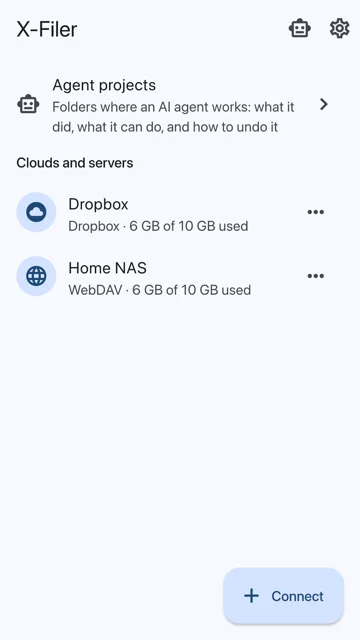
A file manager for Dropbox, OneDrive, Yandex Disk, WebDAV, S3, SFTP and FTP: preview of pictures, text and Markdown, editing text files, uploads and transfers, search, and agent projects on GitHub and in drive folders. Phone and tablet layouts.
More about the mobile appOn an iPhone?
The iPhone and iPad app is coming after Android. Subscribe to X-Filer news below and we will tell you when it is out.
Subscribe to newsQuestions about the test
Why do I need to join a Google group?
That is how a closed test on Google Play works: Play opens the test to the members of a Google group. The member list of x-filer-testers is hidden, so other members don't see your address.
The testing page says the app is not available. What now?
Check that you joined the group with the same Google account that you use on the testing page, wait a few minutes and reload. While X-Filer is in Google's review, the page may not open at all: try again in a day.
Does the test cost anything?
No. Installing is free. Connecting a cloud or a server needs an X-Filer account, as on the computer; a new account starts with 30 days of Pro without a card. Buying Pro inside the app is not available yet.
Can I leave the test?
Yes, at any time: press “Leave the program” on the testing page and leave the group on Google Groups. If you can, stay for 14 days — Google counts testers who stay that long before the app can go public.
Is there an iPhone version to test?
Not yet. The iPhone and iPad app comes after Android; subscribe to X-Filer news to hear when it is out.